
How to Create AI Social Media Ads With Pomelli
Pomelli is a free AI tool from Google Labs that generates on-brand social media ads in minutes. Open labs.google.com/pomelli, paste your website URL, and Pomelli pulls your colors, fonts, logo, and images automatically. Then describe the ad you need — and it creates ready-to-download creatives with headlines, descriptions, and calls to action. No design skills needed.
- Where — Google Labs, free beta
- What it does — scans your site, extracts brand DNA, generates ad campaigns
- Time — 5-10 minutes from start to downloadable creatives
- Formats — square (1:1), story (9:16), feed (4:5), plus animation
- Best for — social media ads, product campaigns, event promotions
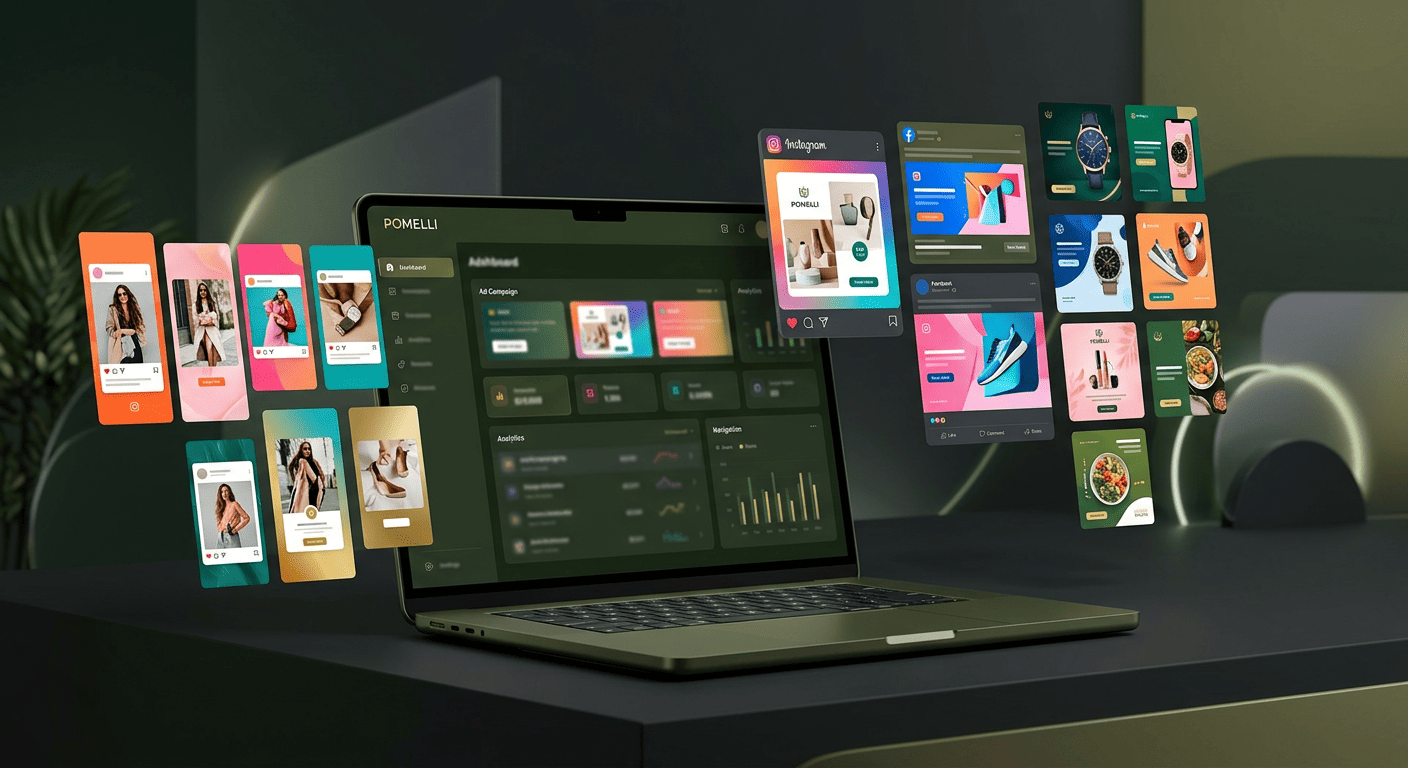
How Pomelli Works — 3 Steps
Pomelli follows a simple three-step process:
- Generate Business DNA — enter your website URL, and Pomelli extracts your colors, fonts, logo, images, tagline, and brand voice
- Get Campaign Ideas — describe what you want to promote, and Pomelli suggests campaign concepts
- Generate Creatives — Pomelli creates multiple ready-to-use ad images with headlines, descriptions, and calls to action
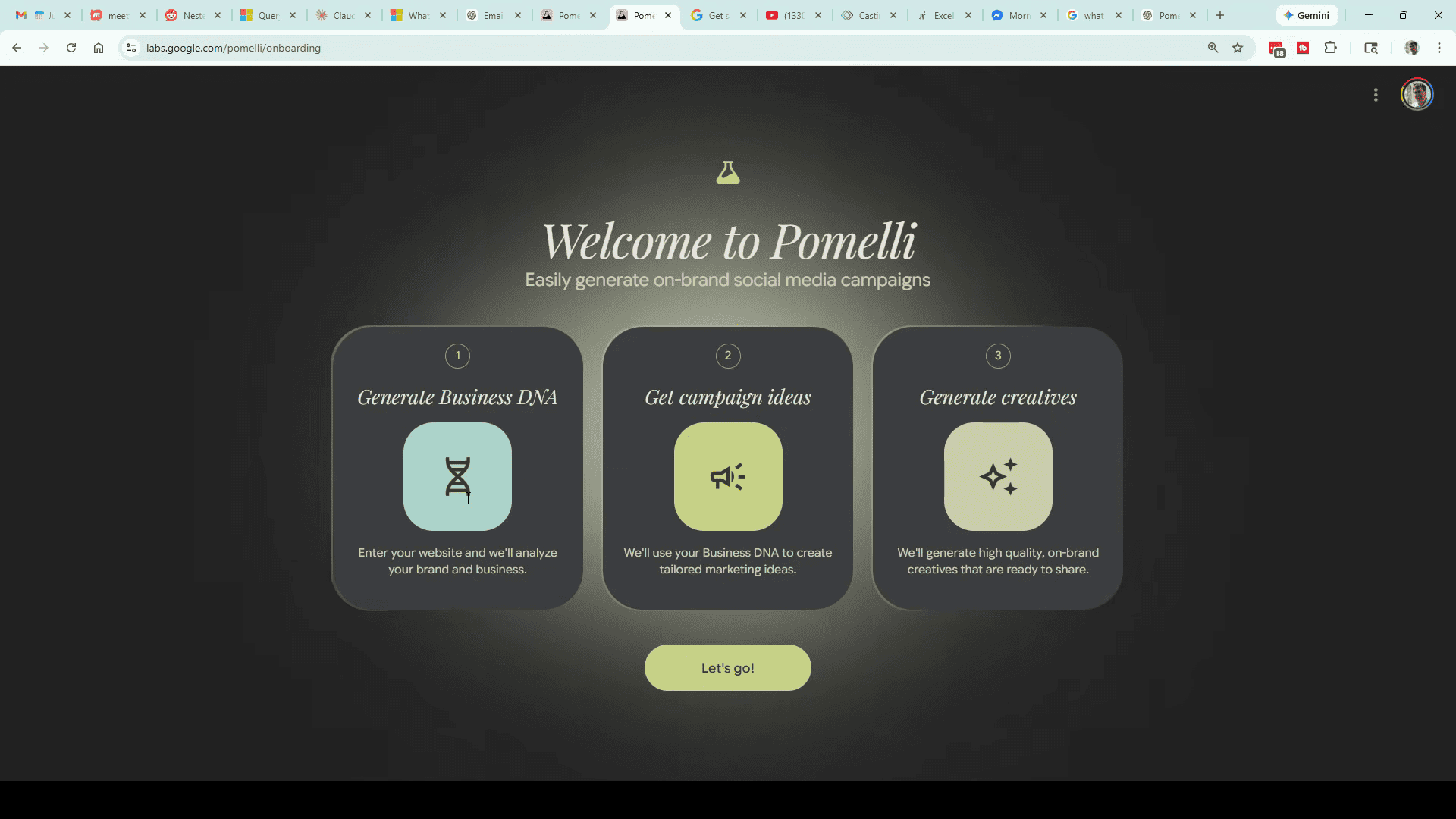
Step 1 — Set Up Your Business DNA
Go to labs.google.com/pomelli and click Let’s get started. Enter your website URL and hit Generate Business DNA.
Pomelli scans your site and pulls everything it needs: brand colors, logo, fonts, images, and even your tone of voice. This takes 2-5 minutes depending on the site.
Pro tip: Instead of your homepage, you can paste a specific page URL. If you are building ads for a particular service or product, point Pomelli directly to that page — it will pull more relevant images and copy.
Review Your Brand Profile
Once scanning is done, Pomelli shows your Business DNA dashboard. Check everything:
- Colors — your brand palette extracted from the site
- Fonts — detected typefaces
- Tagline — auto-generated from your site copy
- Brand values — keywords describing your brand personality
- Images — pulled from your website
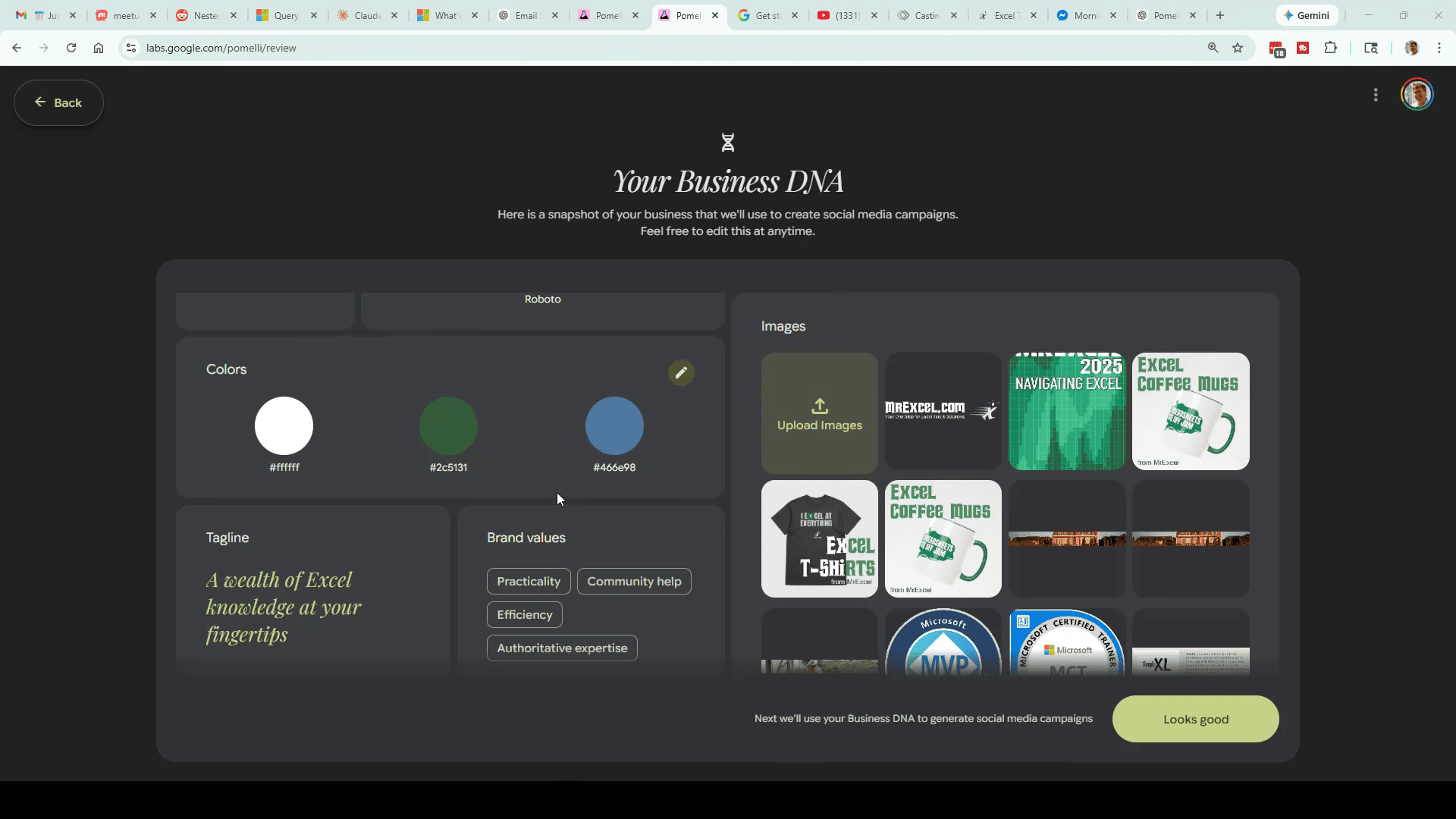
You can edit any of these. Remove irrelevant images (like third-party ads that appeared on your site), upload your own high-res logo as PNG with transparent background, and adjust brand values if they do not match.
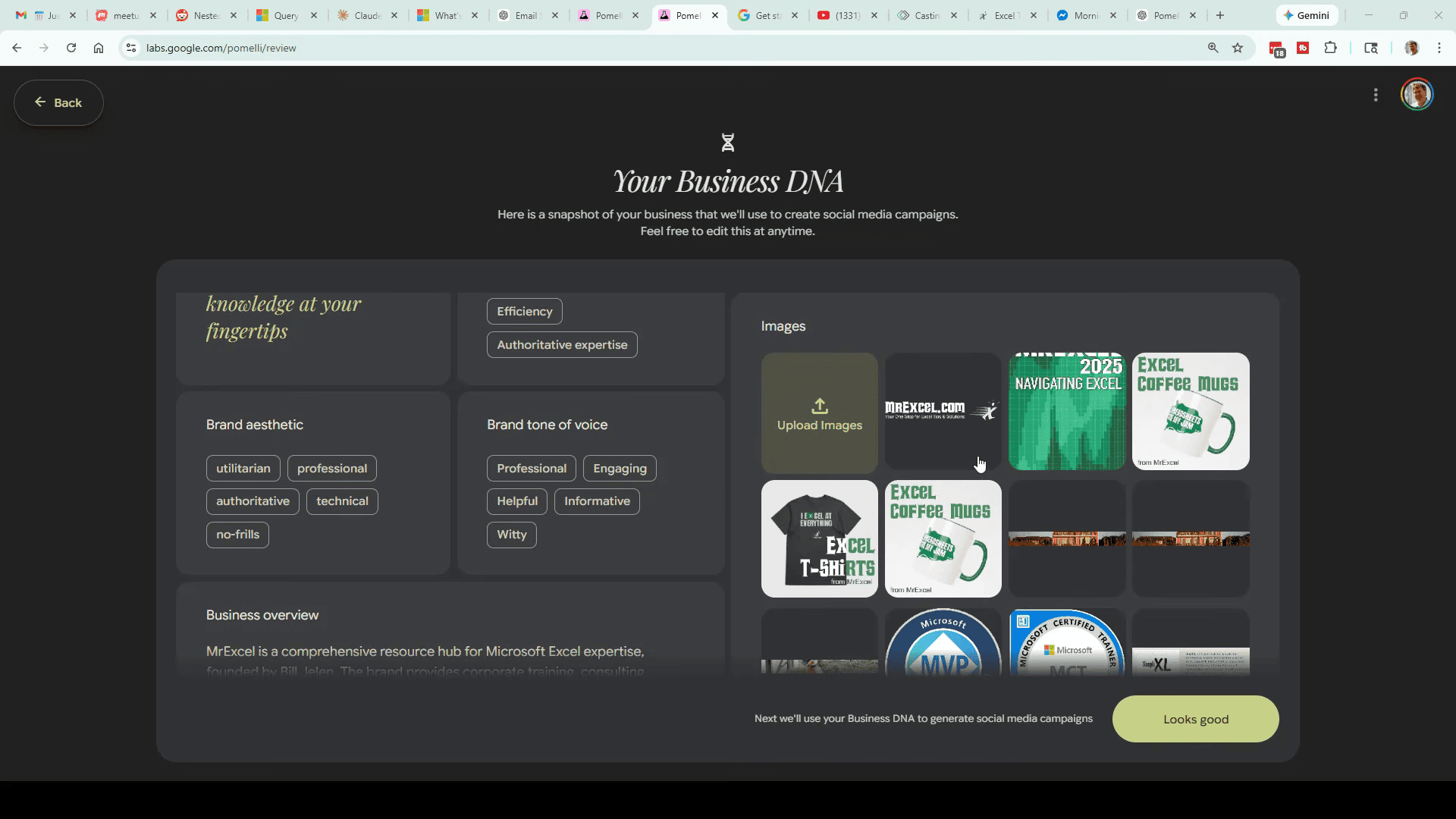
The Business overview section is what Pomelli uses to understand your business context. Make sure it is accurate — this directly affects the quality of generated ads.
When everything looks right, click Looks good to move to campaigns.
Step 2 — Create a Campaign
The Campaigns page shows three AI-suggested campaign ideas based on your Business DNA. But the real power is in the custom prompt field at the top.
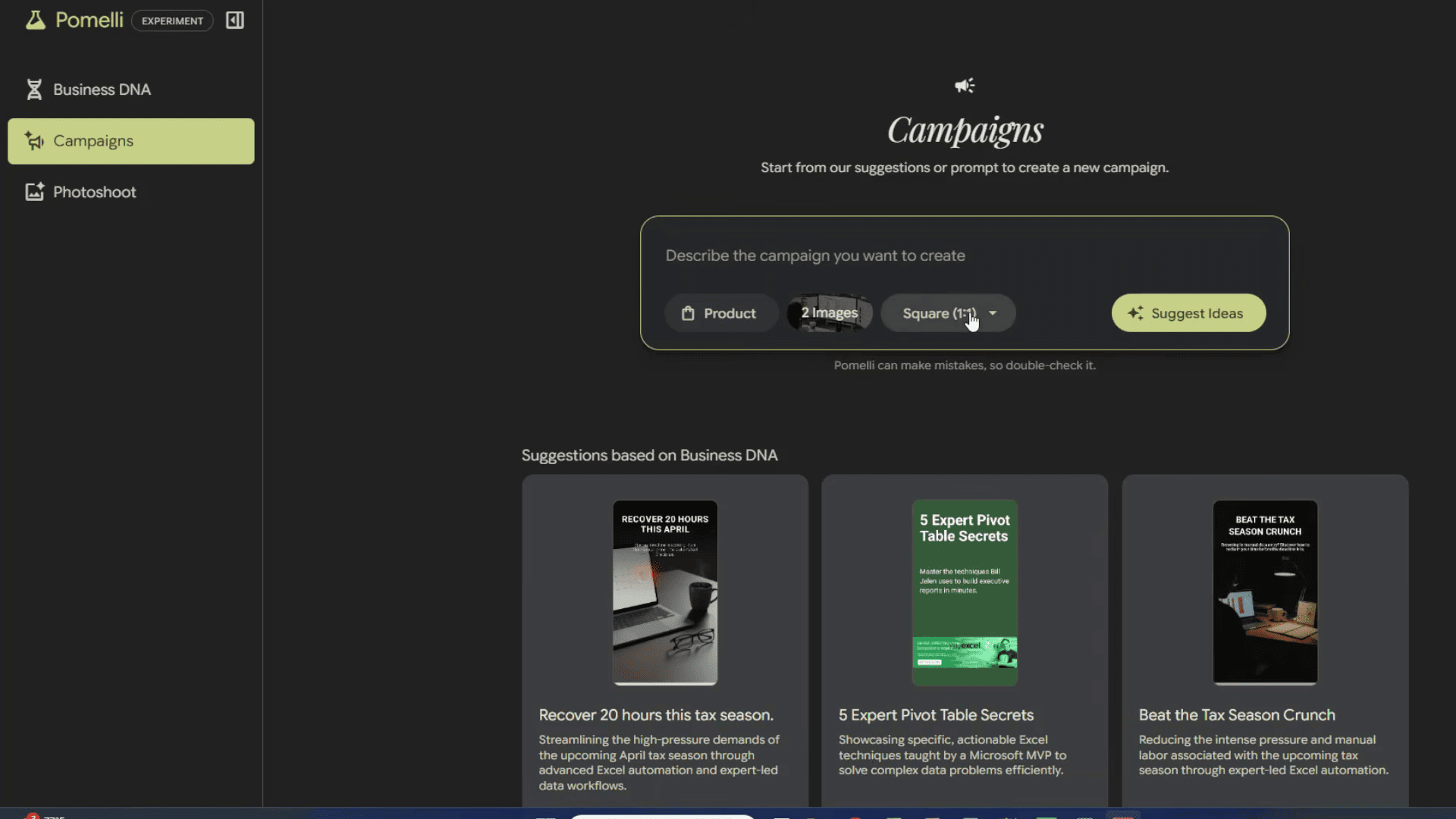
Write a Detailed Campaign Prompt
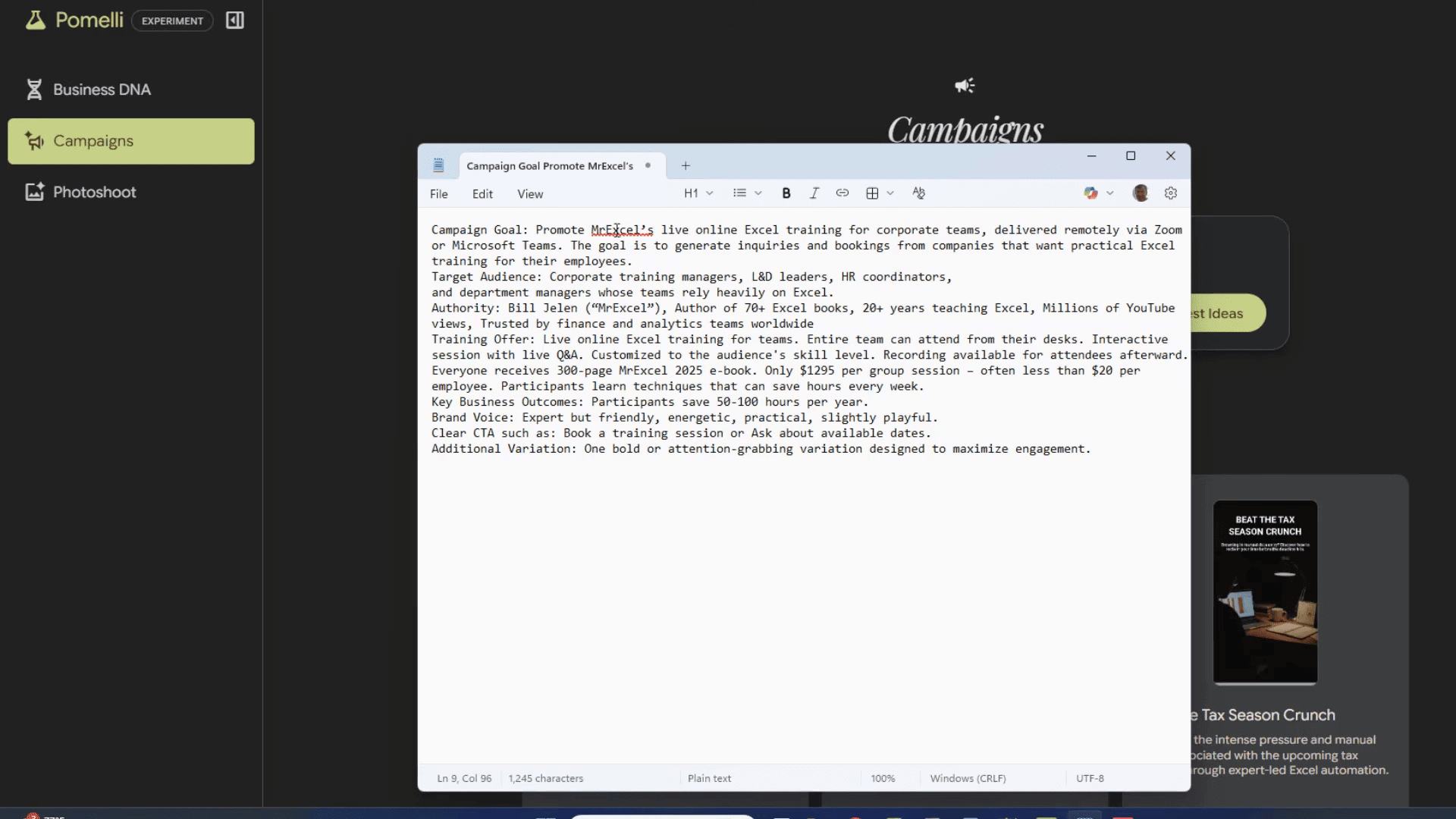
Click Describe the campaign you want to create and write a detailed brief. Do not hold back — the more specific, the better. Include:
- Campaign goal — what you are selling or promoting
- Target audience — who should see this ad
- Key selling points — pricing, features, benefits
- Brand voice — professional, playful, bold, etc.
- Call to action — Book now, Sign up free, Learn more
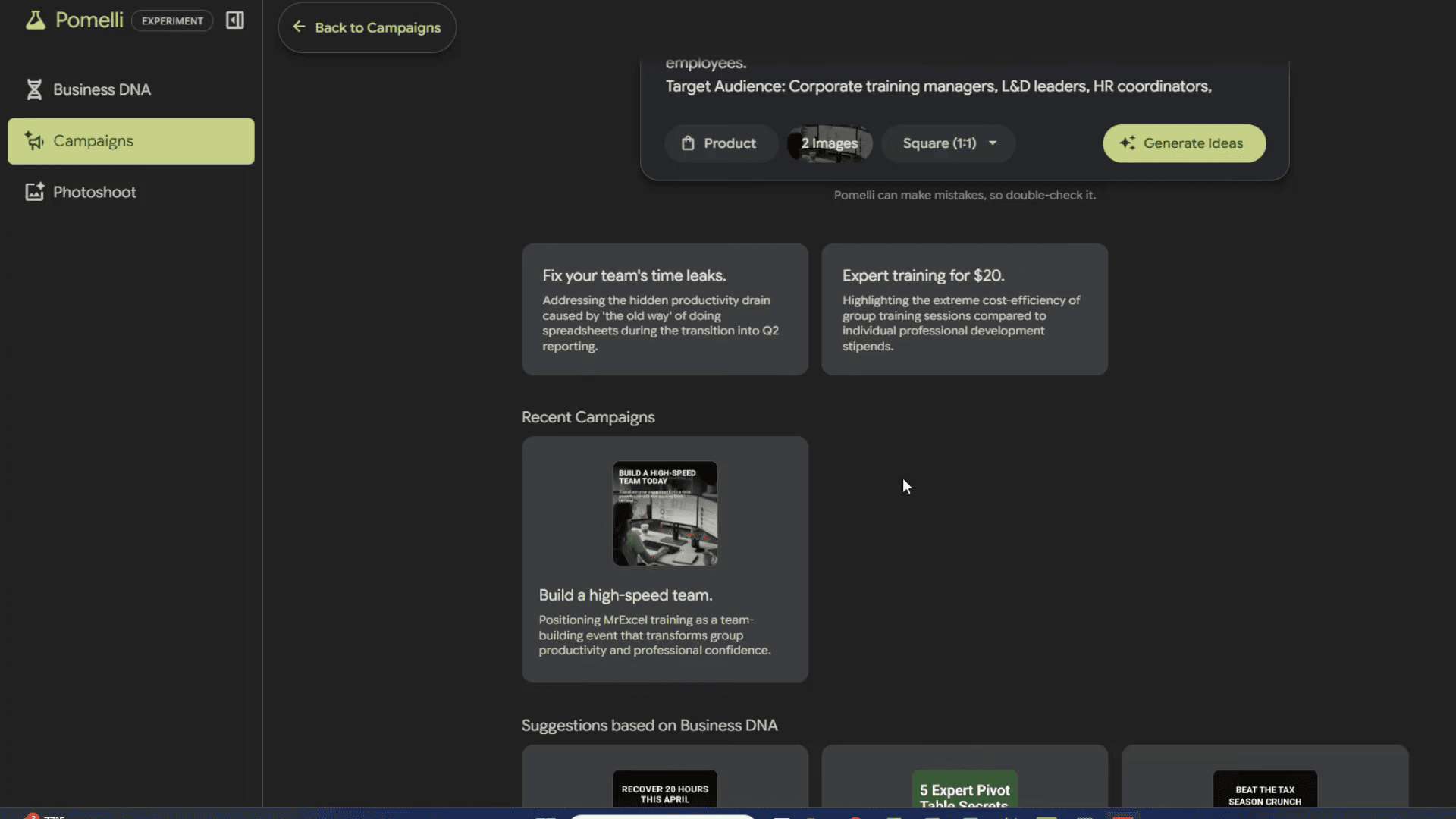
Select your images (2 is a good number), choose the ad size (square, portrait, or landscape), and click Generate Ideas.
Pick a Campaign Idea
Pomelli generates 2-3 campaign concepts, each with a title and short description of the approach. Click the one that fits best, and Pomelli will create the full set of creatives.
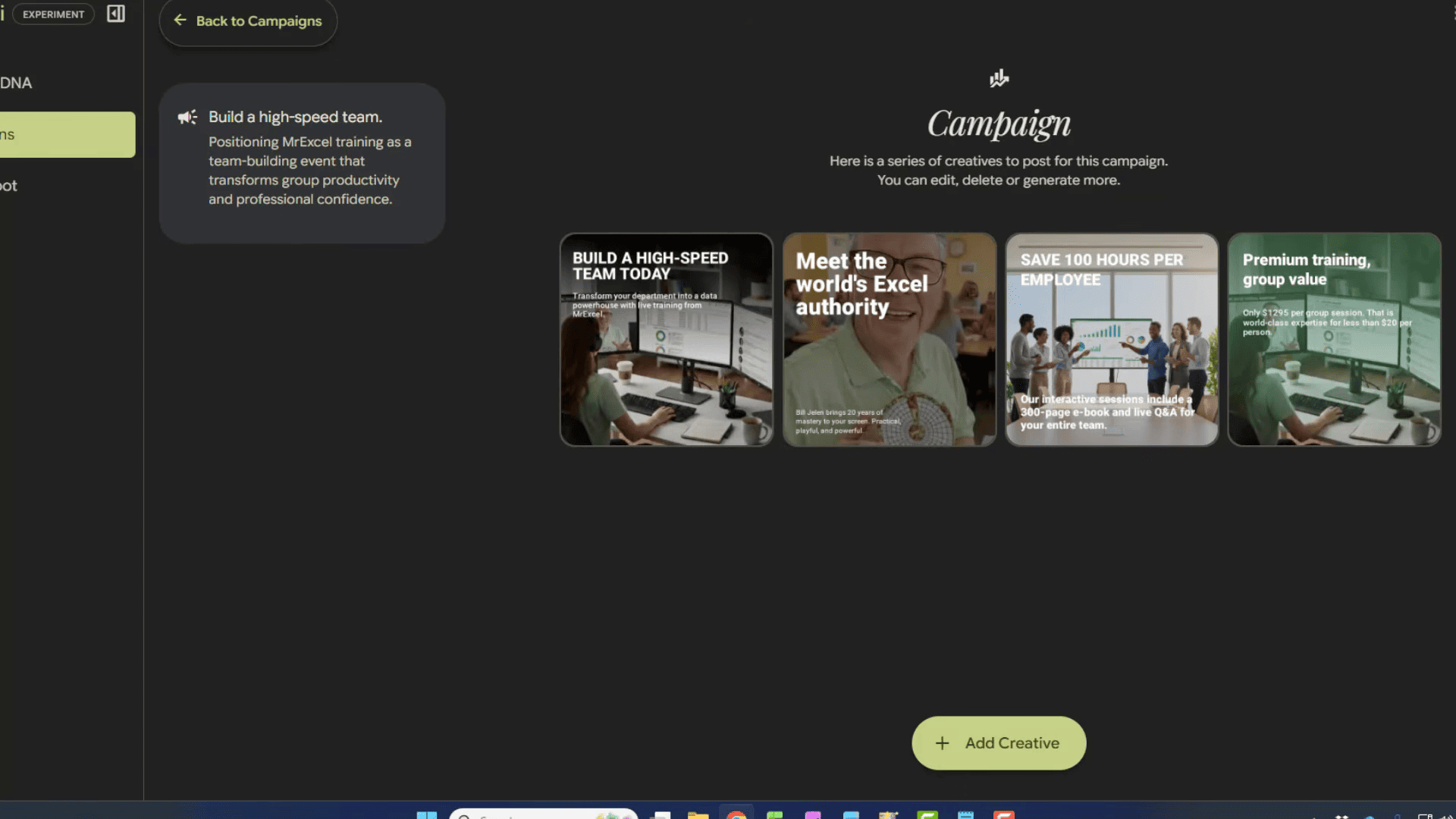
Step 3 — Edit and Download Your Ads
Pomelli generates 4 ad creatives per campaign. Each has a unique headline, description, and image composition — all using your brand assets.
Customize Each Creative
Click any ad to open the editor. You can change:
- Image — swap the background image or regenerate it
- Header — edit the headline text
- Description — modify the body copy
- Call to Action — add or change the CTA button text
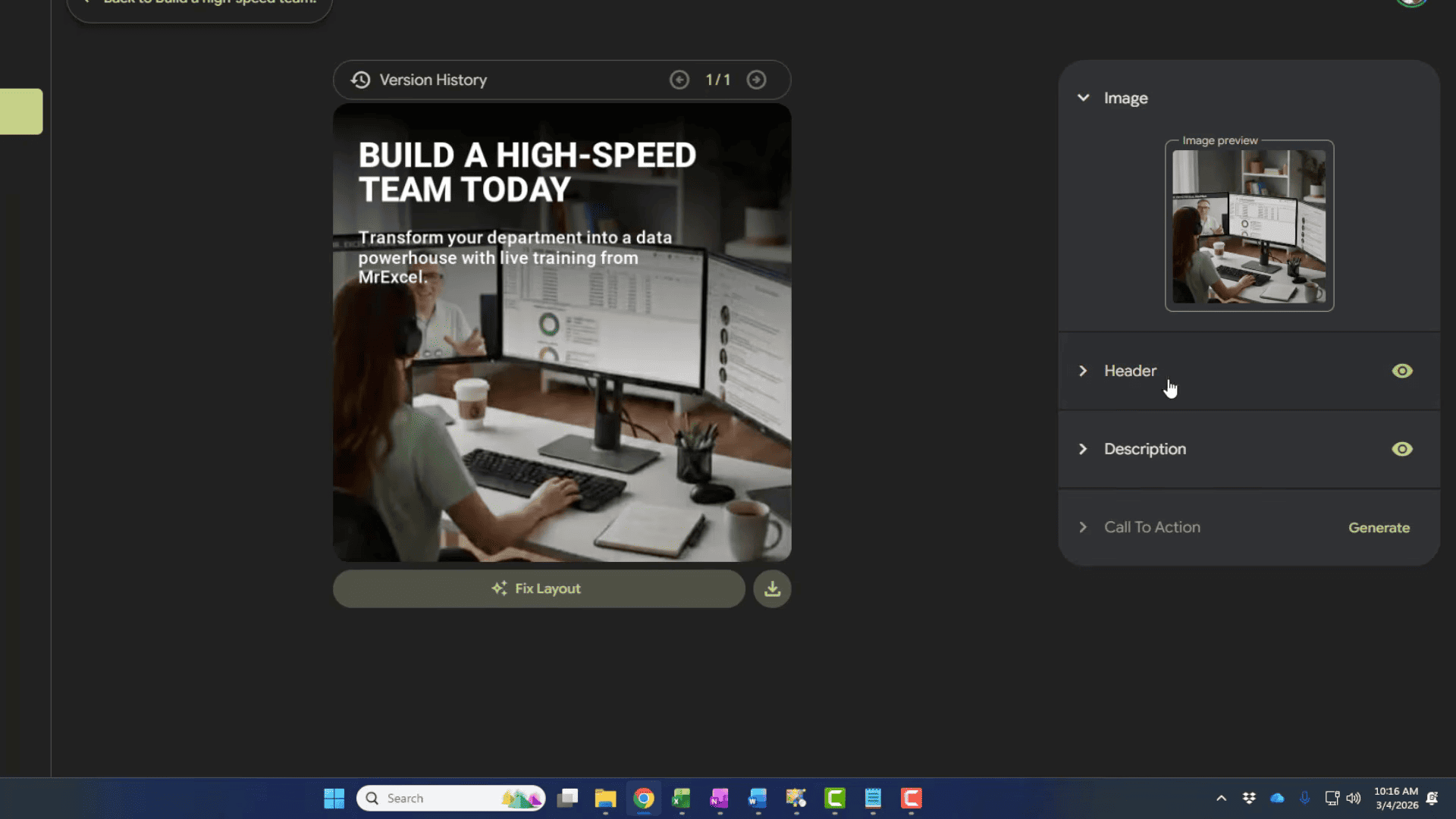
Each element has a Generate button that gives you AI alternatives if you are not happy with the original.
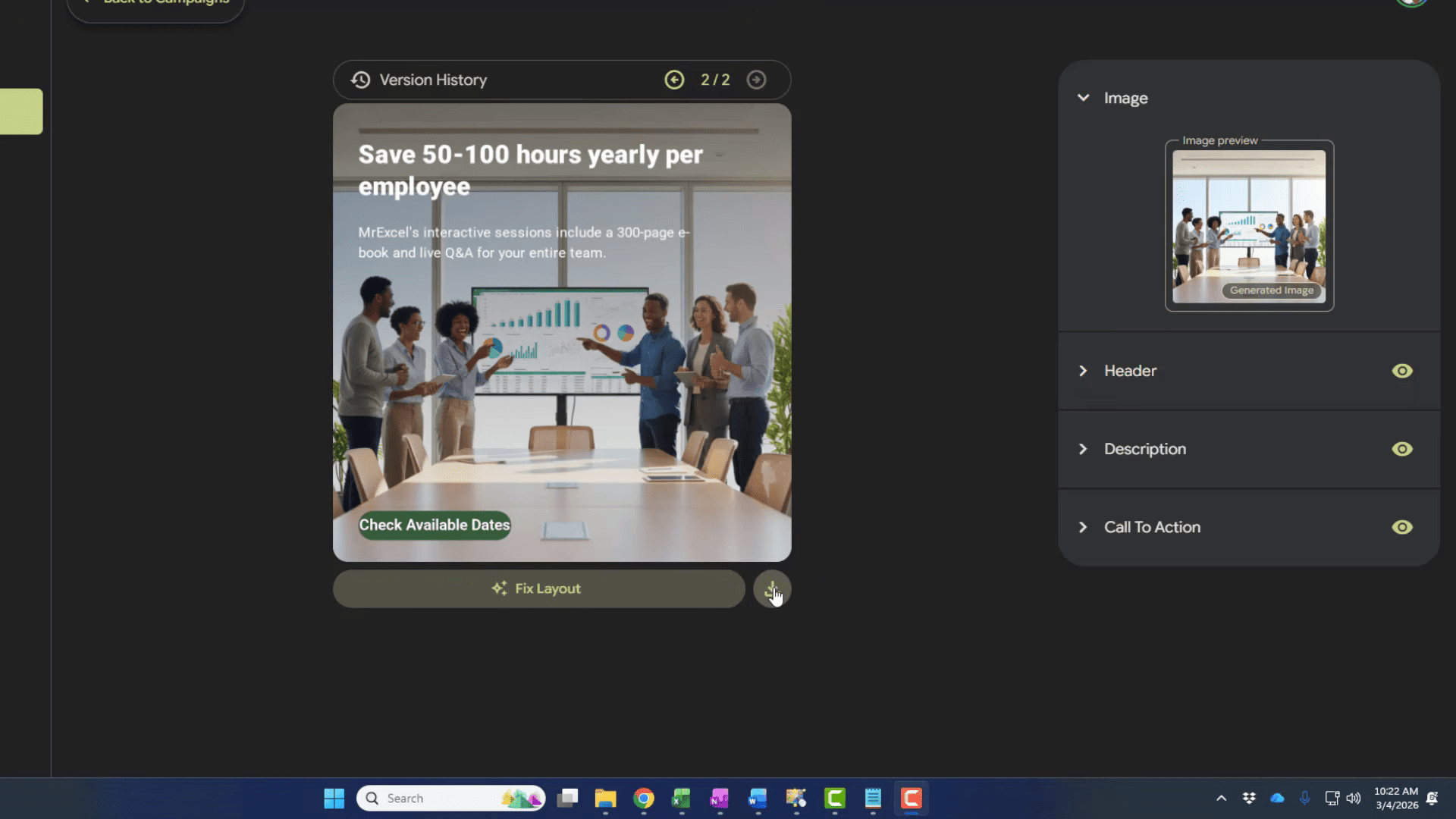
Download and Resize
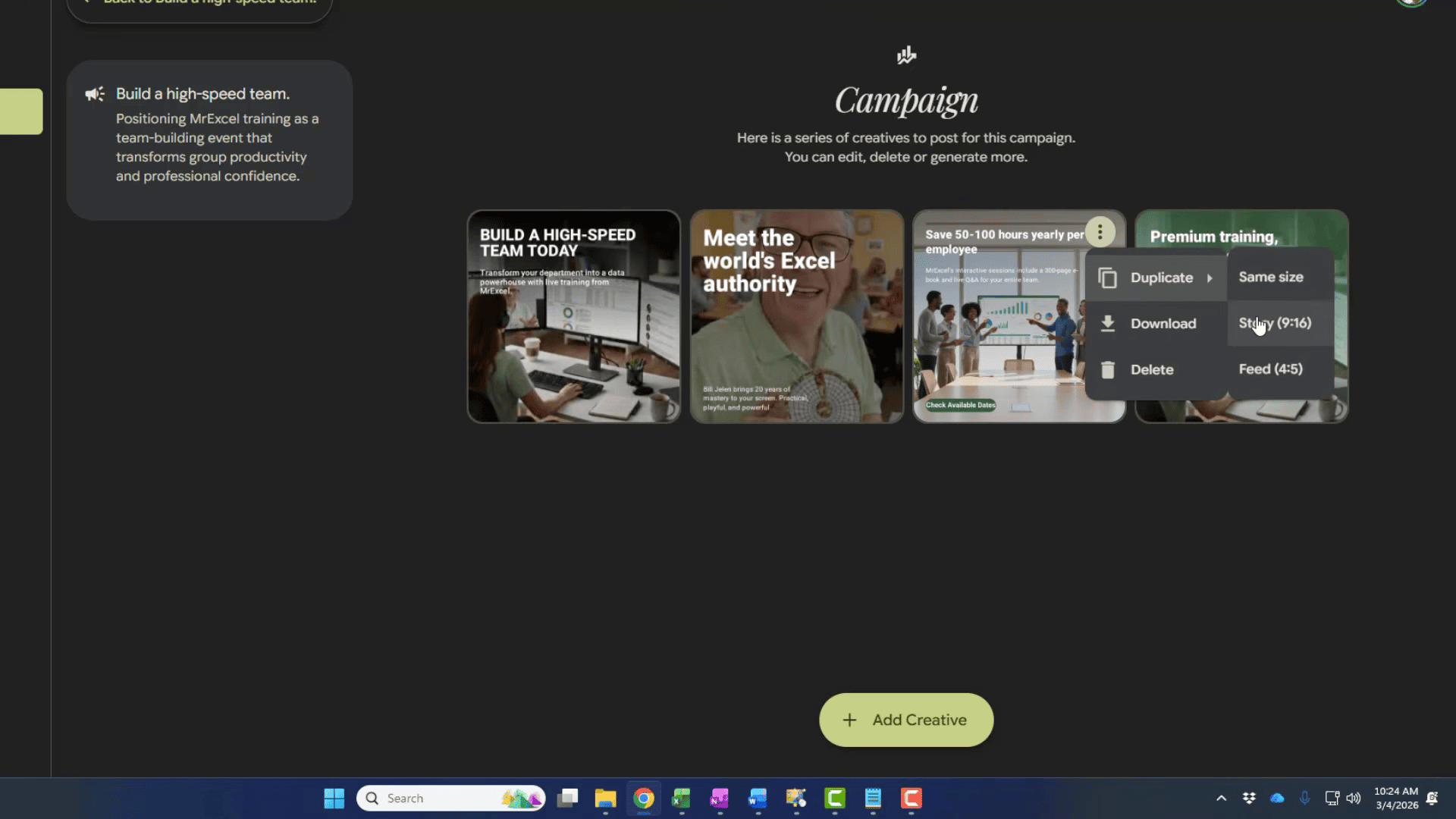
Right-click any creative to see export options:
- Download — save as image
- Duplicate — create a copy to edit differently
- Same size — regenerate with same dimensions
- Story (9:16) — resize for Instagram/Facebook Stories
- Feed (4:5) — resize for Instagram feed
Animate Your Ads
Pomelli can turn static ads into short animations. After resizing to Story format (9:16), you get two animation options:
- Animate — adds motion to both images and text
- Animate without text — animates only the background image, keeps text static
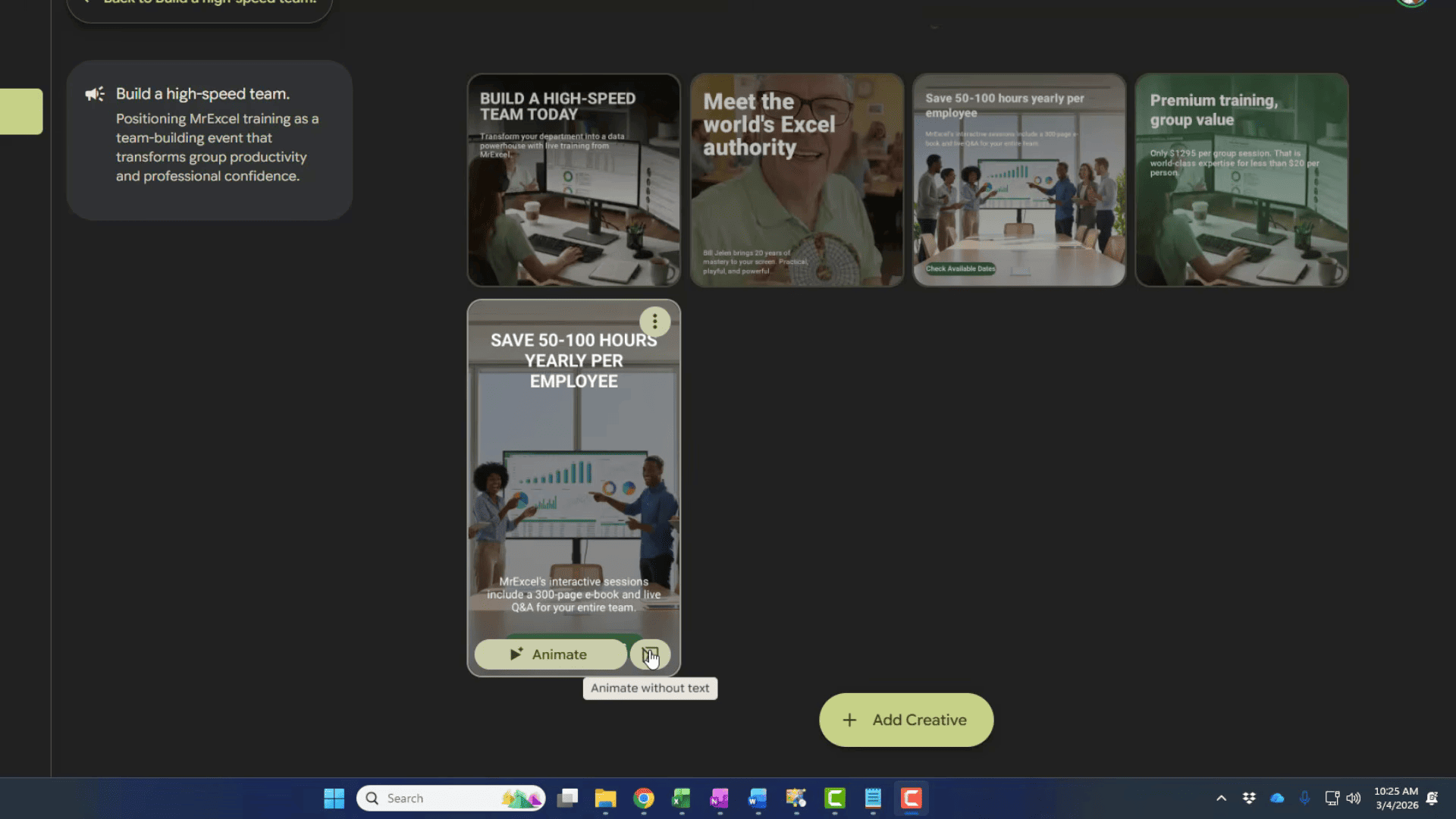
The animated version with text usually works well. If the text animation looks off, use animate without text for a cleaner result.
What Can You Create With Pomelli Besides Social Media Ads?
Pomelli is not limited to social media. You can use it for:
- LinkedIn ads — professional campaigns targeting B2B audiences
- Facebook and Instagram ads — feed posts, stories, reels covers
- Google Display ads — banner creatives in standard sizes
- Event promotions — webinar announcements, conference ads, workshop invites
- Product launches — series of creatives building hype
- Seasonal campaigns — holiday sales, Black Friday, back-to-school
- Recruitment ads — hiring posts for social media
- Brand awareness — general brand visibility campaigns
The Photoshoot feature (in the left sidebar) lets you create product photography-style images — useful for e-commerce and product listings.
FAQ
- Is Pomelli free?
Yes. Pomelli is a free beta from Google Labs. No credit card, no subscription. It is available in the US, Canada, Australia, and New Zealand. Use a VPN if you are outside these countries.
- How many campaigns can I create?
There is no hard limit during the beta. You get one brand profile per Google account, but you can reset your Business DNA anytime to switch between brands.
- Can I use Pomelli ads commercially?
Yes. The creatives you generate are yours to use for commercial purposes — social media, paid ads, websites, email campaigns.
- Does Pomelli create video ads?
Not full video, but it can animate static creatives into short motion graphics. This works best in Story format (9:16). Full video ad creation through Google Veo is expected in future updates.
- Can I change the brand after setup?
Yes. Go to Business DNA in the left sidebar and click the reset button (three arrows icon) to start over with a new website URL.
- What image sizes does Pomelli support?
Square (1:1) for general social media, Story (9:16) for Instagram and Facebook Stories, and Feed (4:5) for Instagram feed posts. You can resize any creative after generation.
- How is Pomelli different from Canva?
Pomelli auto-generates complete campaigns from your brand identity — you describe what you want, and it creates everything. Canva gives you more manual design control but requires more time and design skill. Pomelli is best for quick, on-brand content at scale.