
Pomelli: what Google’s AI marketing agent is and how it works
Pomelli is the experimental AI marketing tool from Google Labs, built together with Google DeepMind, that analyzes your website to create on-brand campaigns in a matter of minutes. According to Google’s official announcement, it acts as a marketing agent that understands your business identity and generates copy, images and creatives that are ready to publish.

From your website to complete campaigns: Pomelli works in three guided steps.
It launched as a public beta on October 28, 2025 and is aimed above all at small and medium-sized businesses (SMBs) that need branded content without a large creative team.
What Pomelli is and who built it
Pomelli AI came out of Google Labs, Google’s product experimentation lab, in direct collaboration with Google DeepMind. It is not a finished commercial product but a public experiment that Google openly describes as an early version: it can fail, change features or take a while to produce results while the team improves it with user feedback.
An experiment from Google Labs and DeepMind
Pomelli AI was officially unveiled on October 28, 2025 as a public beta. Google DeepMind provides the generative AI models behind both the text and the image side, while Google Labs handles the product itself and gathers feedback from the people testing it. Because it is an experiment, it keeps evolving: new features such as Photoshoot have been added months after the initial launch.
Who it is for
Google’s stated goal is to help SMBs, founders and community managers create professional marketing campaigns without relying on outside agencies or big design budgets. In the product team’s own words:
Creating impactful, on-brand content can often require significant investment in time, budget, and design expertise. For small to medium-sized businesses (SMBs), this can be a major obstacle. That’s where Pomelli, our newest experiment from Google Labs in partnership with Google DeepMind, comes in.— Google Labs, official Google blog
That sentence sums up the problem the Google Labs marketing tool is going after: the time and money it costs to keep branded content consistent when there is no in-house creative team.
How Pomelli works: the Business DNA in 3 steps
The heart of Pomelli’s AI marketing assistant is a concept of its own, the Business DNA. It is what sets this experimental Google tool apart from a plain image or text generator: it learns your brand first and only then generates content.

The Business DNA captures your brand’s tone of voice, fonts, colors and imagery.
Once the Business DNA is in place, the full workflow comes down to three stages, exactly as Google describes them in its own documentation:
| Step | Official name | What it produces |
|---|---|---|
| 1 | Build your Business DNA | Brand profile: tone of voice, fonts, colors and imagery |
| 2 | Generate tailored campaign ideas | Campaign ideas matched to the business |
| 3 | Edit and create high-quality, branded creatives | Copy and images ready to download |
Step 1: build your Business DNA
You enter your website URL and Pomelli analyzes it to create a profile called the “Business DNA”. Everything it generates afterwards is based on that DNA, so the output stays consistent across channels. The profile captures four elements of your brand:
- Tone of voice: the style your copy is written in.
- Custom fonts detected on your website.
- The business’s own color palette.
- Representative images already used on your site.
Step 2: generate tailored campaign ideas
With the Business DNA defined, Pomelli suggests campaign ideas tailored to the business: promotions, product launches or seasonal themed content. You can also write your own prompt to steer the generation toward your own vision instead of only accepting the automatic suggestions.
Step 3: create and edit creatives
Pomelli produces marketing assets (copy and images) ready for social, web or ads. You can edit the text or the images inside the tool and download the final assets to publish them straight to:
- TikTok
- YouTube
What Pomelli is used for: use cases
Beyond the demo, Google’s AI marketing agent handles very specific day-to-day jobs for an SMB or a community manager:
- Coming up with themed campaign ideas for particular dates or launches.
- Drafting social media copy based on the Business DNA.
- Suggesting variations of the same message for A/B tests.
- Designing simple creatives that keep the brand’s colors, fonts and style.
- Building complete “content packs” around a single campaign idea.
The Photoshoot feature
In February 2026 Google added Photoshoot, a feature that turns plain product photos into studio-style or lifestyle images, generating more attractive backgrounds and compositions for businesses with no professional photography budget. It is the most significant update since the public beta launch and reinforces Pomelli’s focus on businesses with little to spend on creative work.
Availability, language and price
Before you sign up, it is worth checking the terms this experimental Google Labs tool is offered under today, because its geographic coverage is still limited.
Pomelli launched in October 2025 in the United States, Canada, Australia and New Zealand only, but on March 9, 2026 Google extended it to more than 170 countries and territories, and the Google Labs Help Center keeps the official list of supported countries up to date. That said, the tool’s interface still runs in English only.
Pomelli is free during the experimental phase. According to the same Help Center, it allows several hundred image and video generations at no cost, a limit Google will revisit as the product develops.
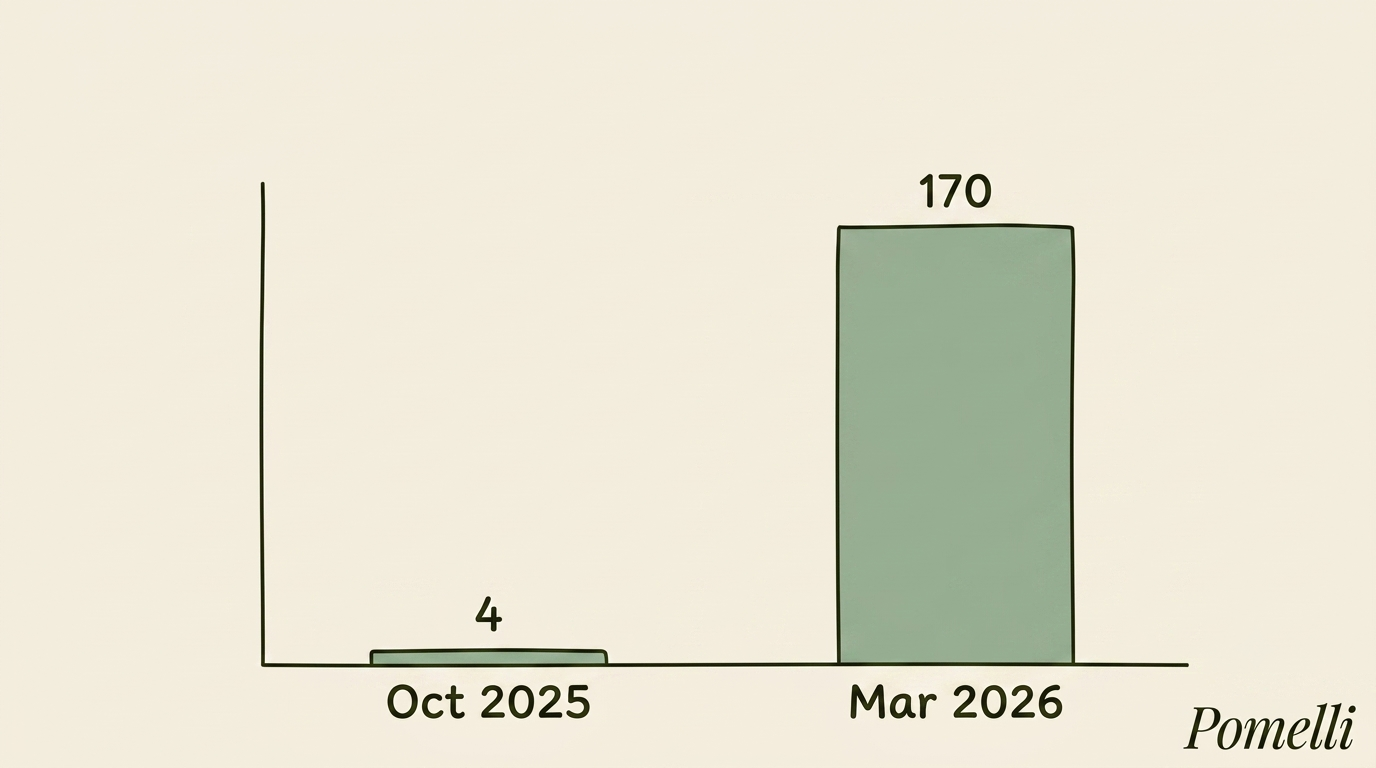
From 4 countries in 2025 to more than 170 in March 2026: how access to Pomelli widened.
It is a standalone web app, optimized for both desktop and mobile, and its use is subject to Google’s Terms of Service and the Generative AI Prohibited Use Policy.
How to start using Pomelli
If you are in one of the supported countries, getting your first Business DNA up and running takes only a few minutes. These are the recommended steps:
- Go to labs.google/pomelli with a Google account (@gmail.com or an enabled Workspace account).
- Check that you are in a supported country: since March 2026 there are more than 170 of them, though the interface is English only.
- Review your own website first: the better it reflects your value proposition and brand tone, the better the Business DNA will turn out.
- Enter your site URL and wait for Pomelli to generate the brand profile.
- Pick one of the suggested campaign ideas or write your own prompt.
- Look over the generated creatives and edit them if needed.
- Download the final assets and publish them on your social channels.
One important warning before you start: Pomelli does not work with websites that use a captcha or any kind of bot blocking, because it needs to crawl the page to build the Business DNA.

How to get started with Pomelli in four steps, from labs.google to downloading your creatives.
Pomelli versus other AI marketing tools
The most common comparison is with content generators such as Canva Magic Studio or Adobe Express. The table below sums up the difference in approach:
| Tool | Starting point | Main focus |
|---|---|---|
| Pomelli | Business DNA extracted from your website | Automatic brand consistency, complete campaign |
| Canva Magic Studio | Design templates | Fast visual editing from templates |
| Adobe Express | Templates and stock assets | Quick graphic design for social and advertising |
What sets it apart
Compared with Canva Magic Studio or Adobe Express, the key to Google’s marketing agent is the Business DNA: instead of starting from generic templates, Pomelli learns your brand’s style and values from your own website, producing content that is more consistent and on-brand from the very first suggestion.
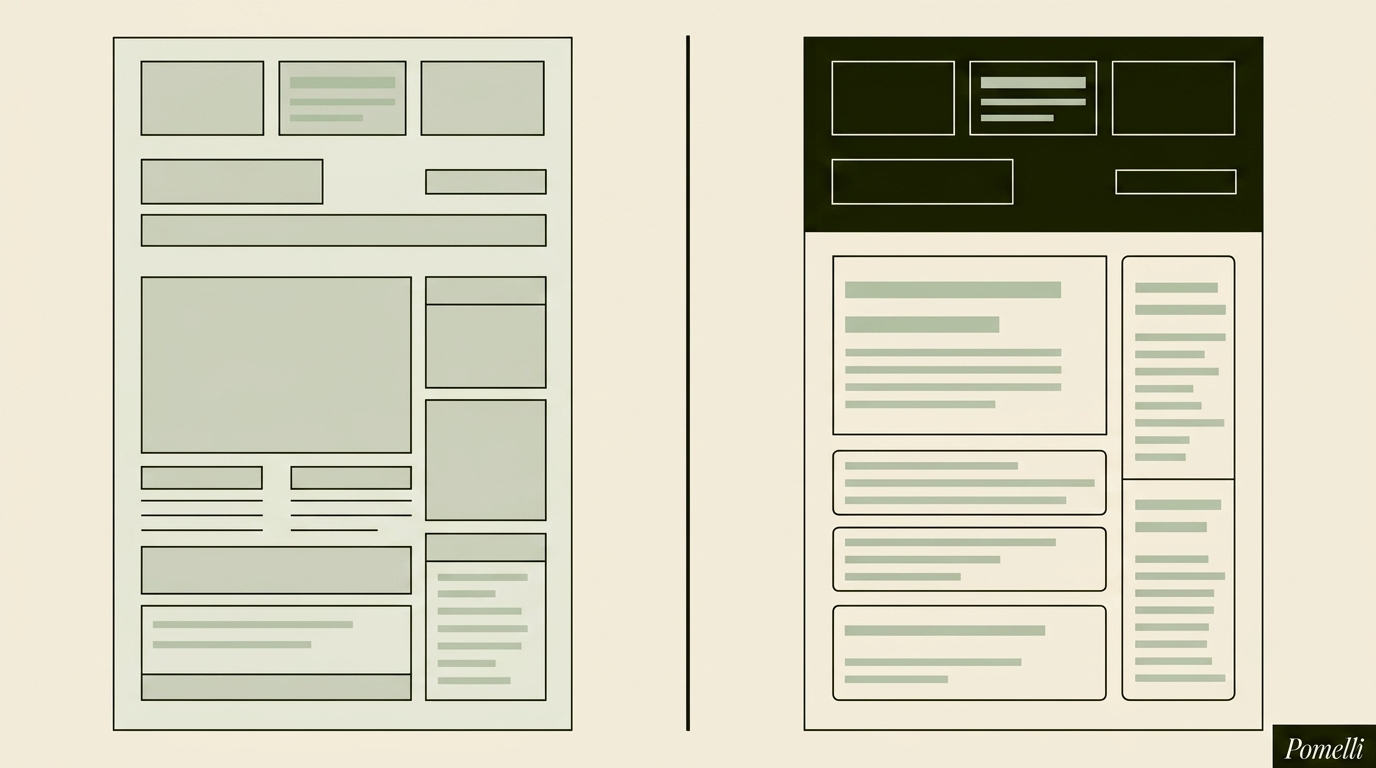
Unlike generic templates, the Business DNA keeps every piece of content on-brand.