
3 Pomelli Workflows That Actually Save Hours
Pomelli creates decent social media content out of the box. But the default results look generic. The trick is combining Pomelli with one extra step — using Gemini to generate a specific campaign concept first, then feeding that into Pomelli. This turns “not bad” into content you are actually excited to post.
Here are three workflows that cover the full marketing funnel: organic reach, paid ads, and scaling as a client service.
- Workflow 1 — organic social media posts and carousels
- Workflow 2 — paid traffic and ad testing
- Workflow 3 — selling Pomelli content creation as a service
Workflow 1 — Organic Social Media Content
This is the core workflow. You create carousel posts for LinkedIn, Instagram, or Facebook using Pomelli brand DNA combined with a concept from Gemini. The result looks on-brand and has a clear angle — not just random AI-generated slides.
Step 1 — Set Up Business DNA
Go to labs.google.com/pomelli and click Try It Now. Enter your website URL and let Pomelli scan it. This creates your Business DNA — colors, fonts, logo, brand voice, and images pulled directly from your site.
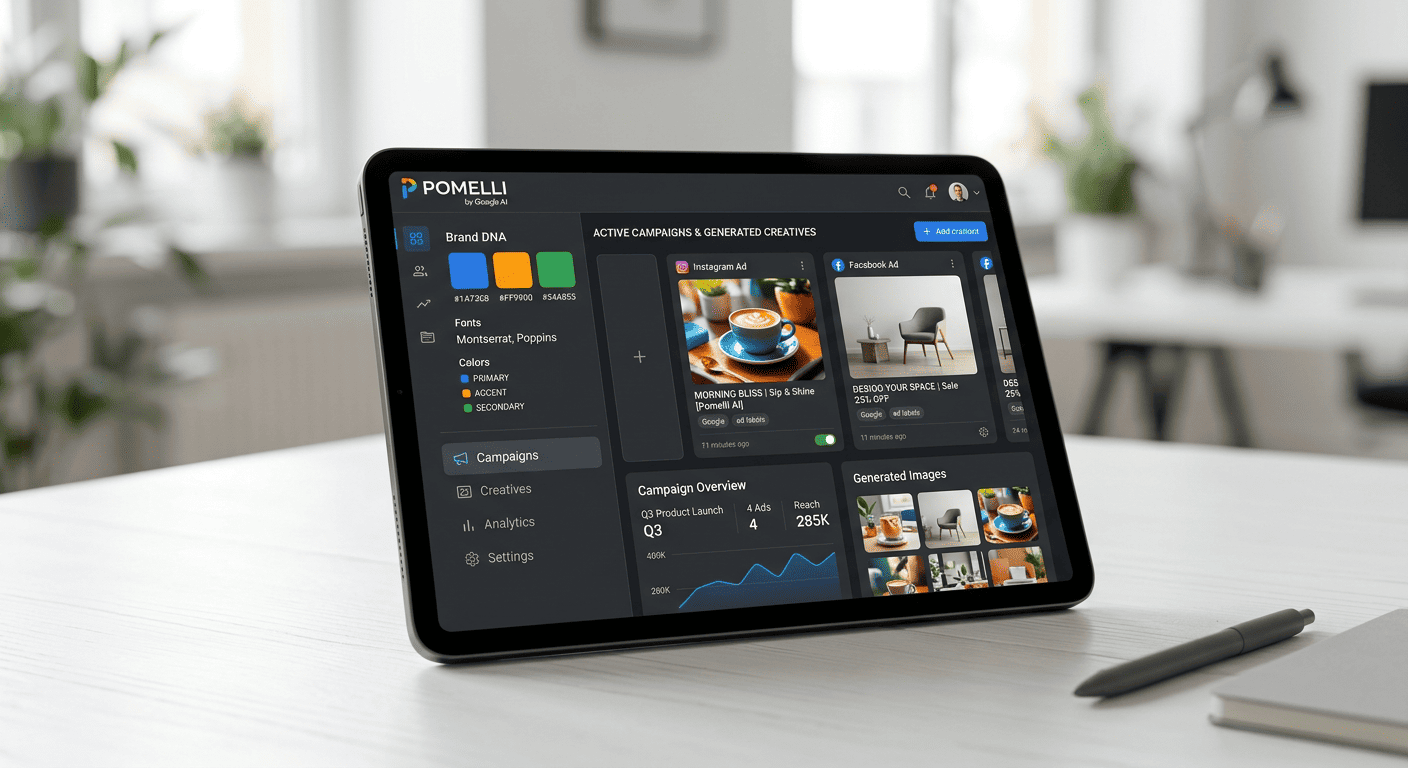
Even if your site is simple with minimal branding, Pomelli will extract enough to build a consistent visual identity. Review the results, remove irrelevant images, and upload a high-res logo (PNG with transparent background) if you have one. Click Looks good when ready.
Step 2 — Generate a Campaign Concept in Gemini
This is the step that makes the difference. Instead of using Pomelli default campaign suggestions, open Gemini and paste a prompt like this:
I would like to create a carousel social update for this post: [paste your blog post or page URL]. It does not need to encompass the entire post. Can you generate some ideas? No images, just ideas for now.
Gemini will return several concept ideas — each with a clear angle, slide-by-slide breakdown, and messaging strategy. Pick the one that fits best.
Step 3 — Feed the Concept Into Pomelli
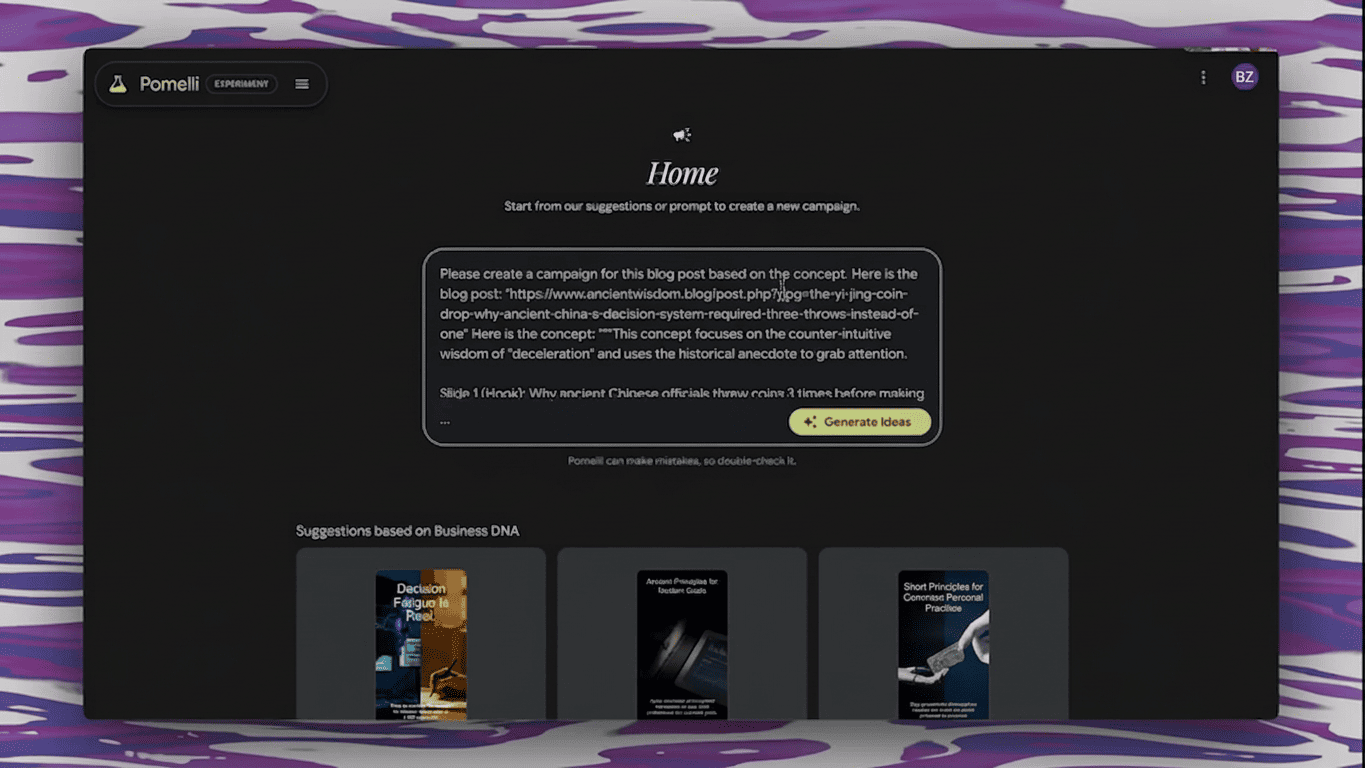
Go back to Pomelli Campaigns page. In the Describe the campaign you want to create field, paste a prompt like:
Please create a campaign for this blog post based on this concept. Here is the blog post: [URL]. Here is the concept: [paste the Gemini concept you picked].
Click Generate Ideas. Pomelli now creates campaign variations that follow your specific angle instead of guessing randomly.
Step 4 — Edit and Download
Pomelli generates a set of carousel slides. Click any slide to edit the image, header, description, or call to action. Each element has a Generate button for AI alternatives.
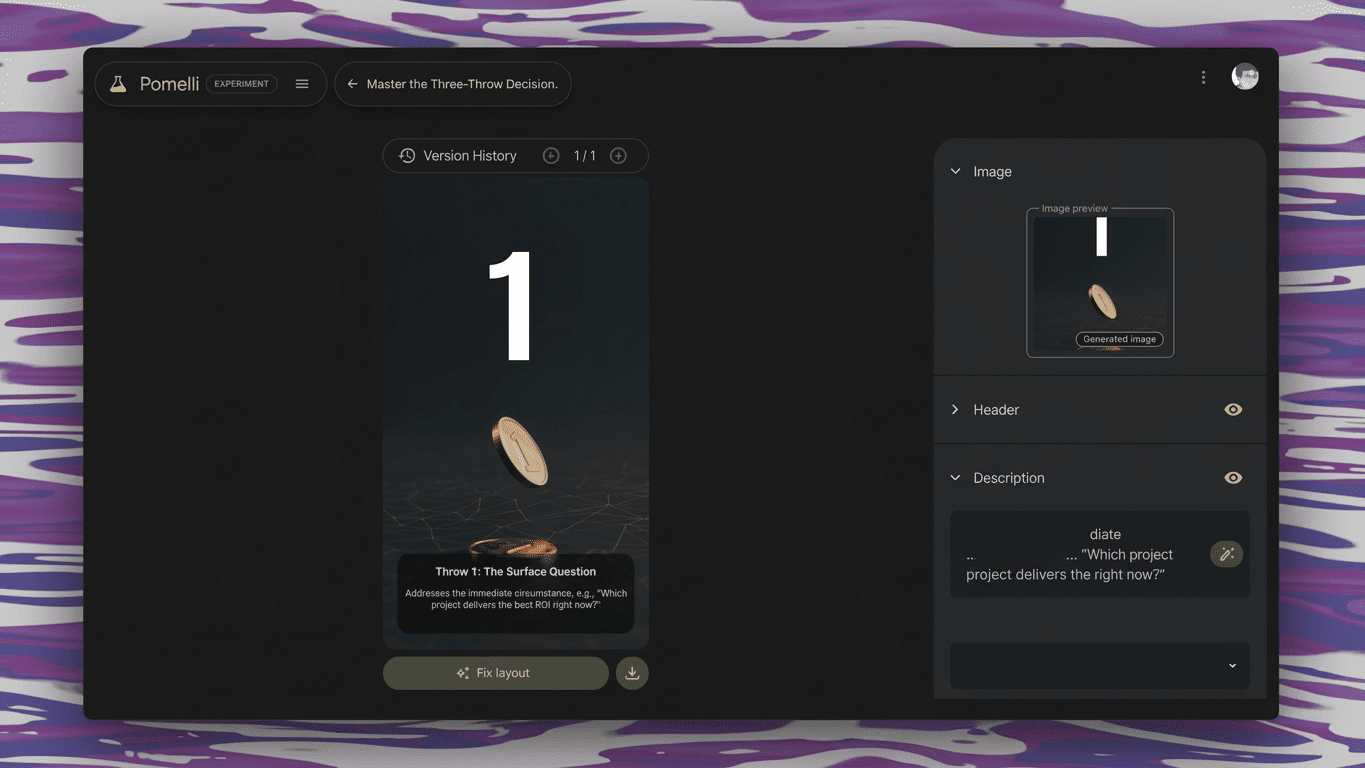
If an image has distracting details, click the regenerate arrow to get new variations. Download each slide individually — this is how you will upload them as a carousel to LinkedIn, Instagram, or Facebook.
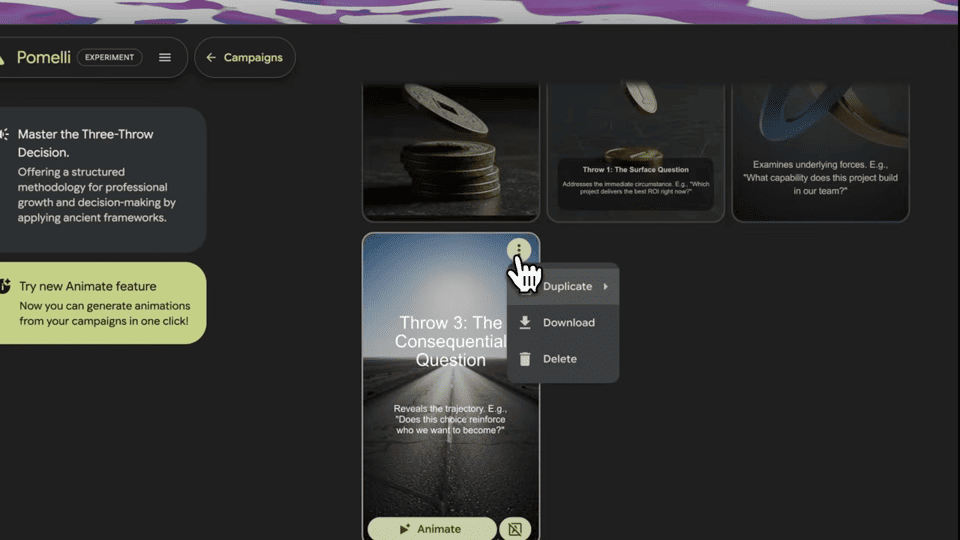
You can also add basic animations to catch attention in feeds. The Animate button adds motion to both images and text, while Animate without text keeps text static for a cleaner look.
Step 5 — Post to Social Media
Create a new post on LinkedIn, Instagram, or wherever you are active. Upload the slides as a carousel. Copy the campaign description from Pomelli as your post text, or write your own.
For scheduling posts in advance, tools like Buffer or Hootsuite work well — create a batch of carousels in one session and schedule them throughout the week.
Workflow 2 — Paid Traffic and Ad Testing
Testing ad creatives used to be the biggest bottleneck in running campaigns. With Pomelli, you can generate dozens of variations in minutes and let real engagement data tell you what works.
Step 1 — Create Many Organic Posts
Use Workflow 1 to create a batch of social media posts. Post them organically — no ad spend yet. This is your free testing ground.
Step 2 — Track What Gets Traction
Watch which posts get the most engagement: likes, shares, comments, saves. The ones that pop organically are your best candidates for paid promotion.
Step 3 — Boost and Reformat Winners
Take your best-performing post and boost it directly on the platform. Or go back to Pomelli and reformat the creative for different ad sizes:
- Square (1:1) — general social media and LinkedIn
- Story (9:16) — Instagram and Facebook Stories
- Feed (4:5) — Instagram feed
Right-click any creative in Pomelli to see resize options. Each size is generated automatically while keeping your brand elements intact.
This approach means you never waste ad budget on unproven creatives. Every dollar goes to content that already proved it resonates.
Workflow 3 — Selling Pomelli as a Service
If you do freelance work, recently got laid off, or want a side income, Pomelli makes it fast to offer social media content creation to local businesses.
Step 1 — Create Real Example Campaigns (Not Proposals)
Do not pitch with a proposal. Scan the potential client website with Pomelli, generate actual campaign creatives, and show them the finished product. This takes an afternoon and immediately proves your value.
Step 2 — Reach Out to Local Businesses
Look at local businesses social media accounts. Many are not posting enough or posting low-quality content. Send them a few sample creatives you already made from their website and offer to create more.
A simple email template works:
Hi [Name], I noticed your [business] has great products but your social media could use more regular, on-brand content. I created a few sample posts using your brand assets — attached below. If you would like more of these on a regular basis, I would love to jump on a quick call.
Step 3 — Price Your Services
Typical pricing tiers for Pomelli-based social media content:
- Starter ($500-800/month) — a few posts per week, basic campaigns
- Growth ($800-1,500/month) — daily posts, multiple platforms, ad creatives
- Premium ($1,500-3,000/month) — full content calendar, ad management, reporting
The work takes a few hours per client. You batch-create content in one session, schedule it out for the week, and move on.
Step 4 — Scale to Bigger Clients
Once you have testimonials from local businesses, target larger organizations. Attend industry conferences — the expo hall is full of companies with marketing teams looking for exactly this type of service. Research their social media presence before you go, create sample campaigns, and approach them at their booths.
Larger clients have bigger budgets and longer contracts. This is where you move from $500/month to $2,000-3,000/month per client.
FAQ
- Is Pomelli still free?
Yes. Pomelli is a free beta from Google Labs. Available in the US, Canada, Australia, and New Zealand. Use a VPN if you are outside these countries.
- Do I need Gemini Pro for Workflow 1?
No. The free version of Gemini works fine for generating campaign concepts. You are just asking for text ideas, not image generation.
- Can I use these workflows for my own business?
Yes. All three workflows work whether you are promoting your own business or creating content for clients. Start with Workflow 1 for yourself, then expand to 2 and 3.
- How many campaigns can I create in Pomelli?
There is no hard limit during the beta. You get one brand profile per Google account, but you can reset your Business DNA anytime to switch between brands or clients.
- What is the best scheduling tool for Pomelli content?
Buffer and Hootsuite are both solid options. Buffer is simpler, Hootsuite has more analytics. Neither is affiliated with Pomelli — you just download creatives and upload them to your scheduling tool.
- Can Pomelli create video content?
Not full video yet. It can animate static creatives into short motion graphics, which works well for Stories. Full video creation through Google Veo is expected in future updates.