
Pomelli Photoshop vs Photoshoot — What It Actually Is and How to Use It
If you searched for “Pomelli Photoshop,” you’re looking for Pomelli Photoshoot — a free AI tool from Google Labs that turns a simple product photo into professional-looking shots. It has nothing to do with Adobe Photoshop.
- What it does: generates studio-quality product images from a single photo
- Who it’s for: small businesses, sellers, and creators who need product shots without a photographer
- Price: free during the Google Labs experimental phase
- Where to find it: Google Labs — Pomelli Photoshoot
What Does Pomelli Do?
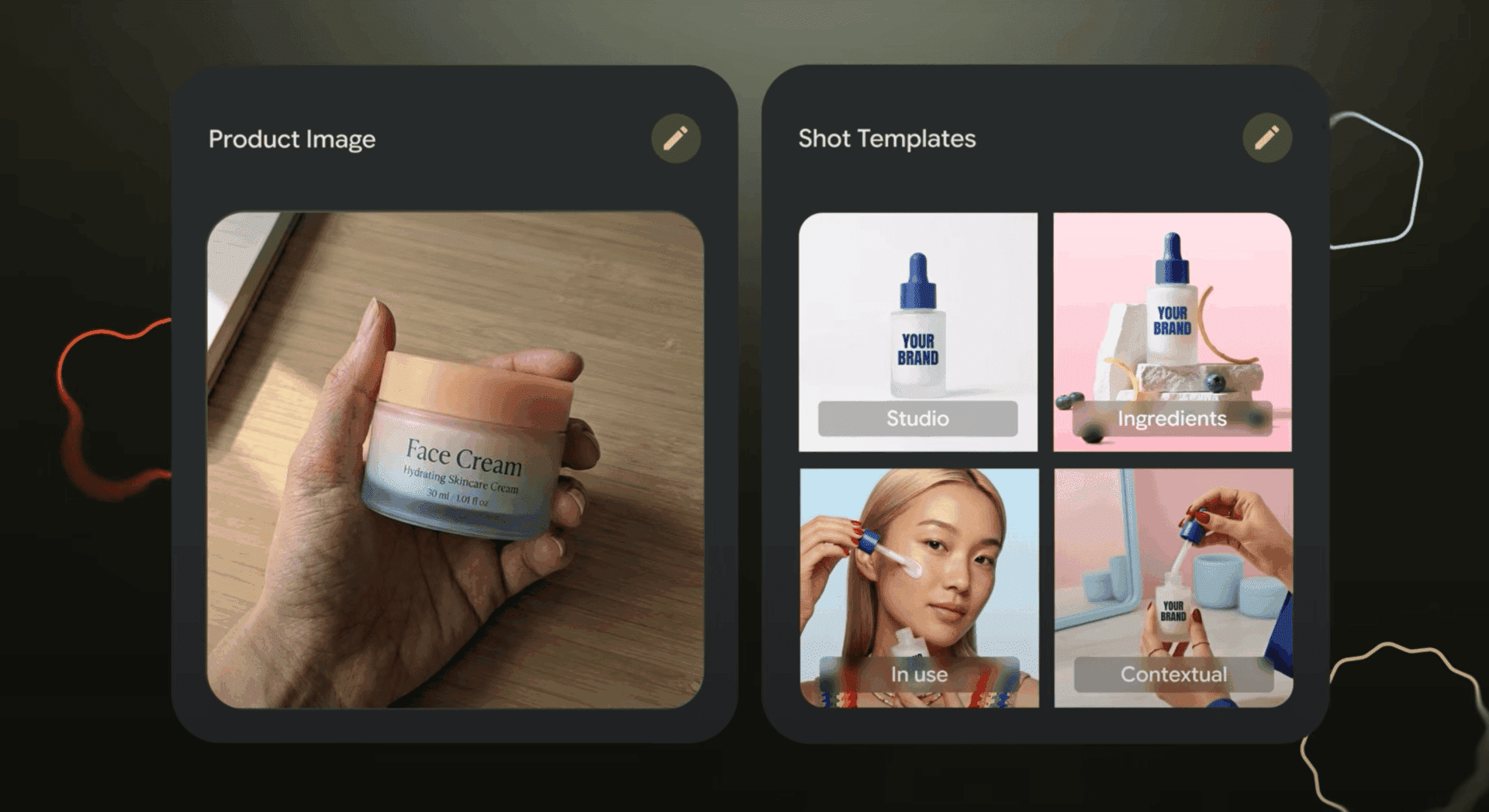
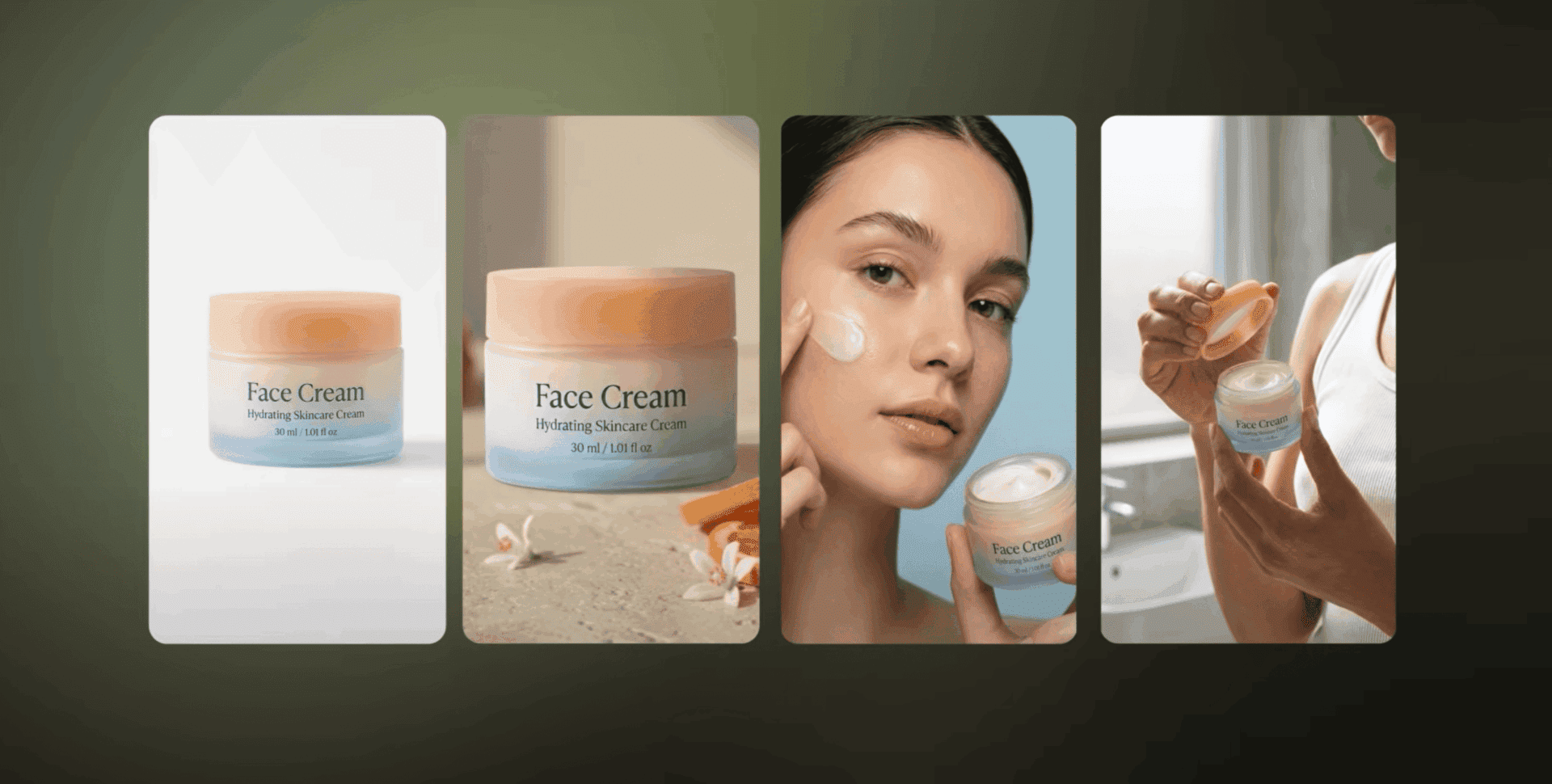
Pomelli Photoshoot is an AI product photography tool inside Google Labs. You upload one photo of your product — even a casual phone snapshot — and Pomelli generates multiple professional shots in different styles.
The tool offers four shot categories:
- Studio — clean, neutral background with professional lighting
- Ingredients — your product surrounded by its key ingredients (great for skincare, food, supplements)
- In use — a model or person using the product naturally
- Contextual — lifestyle setting that matches your product’s vibe
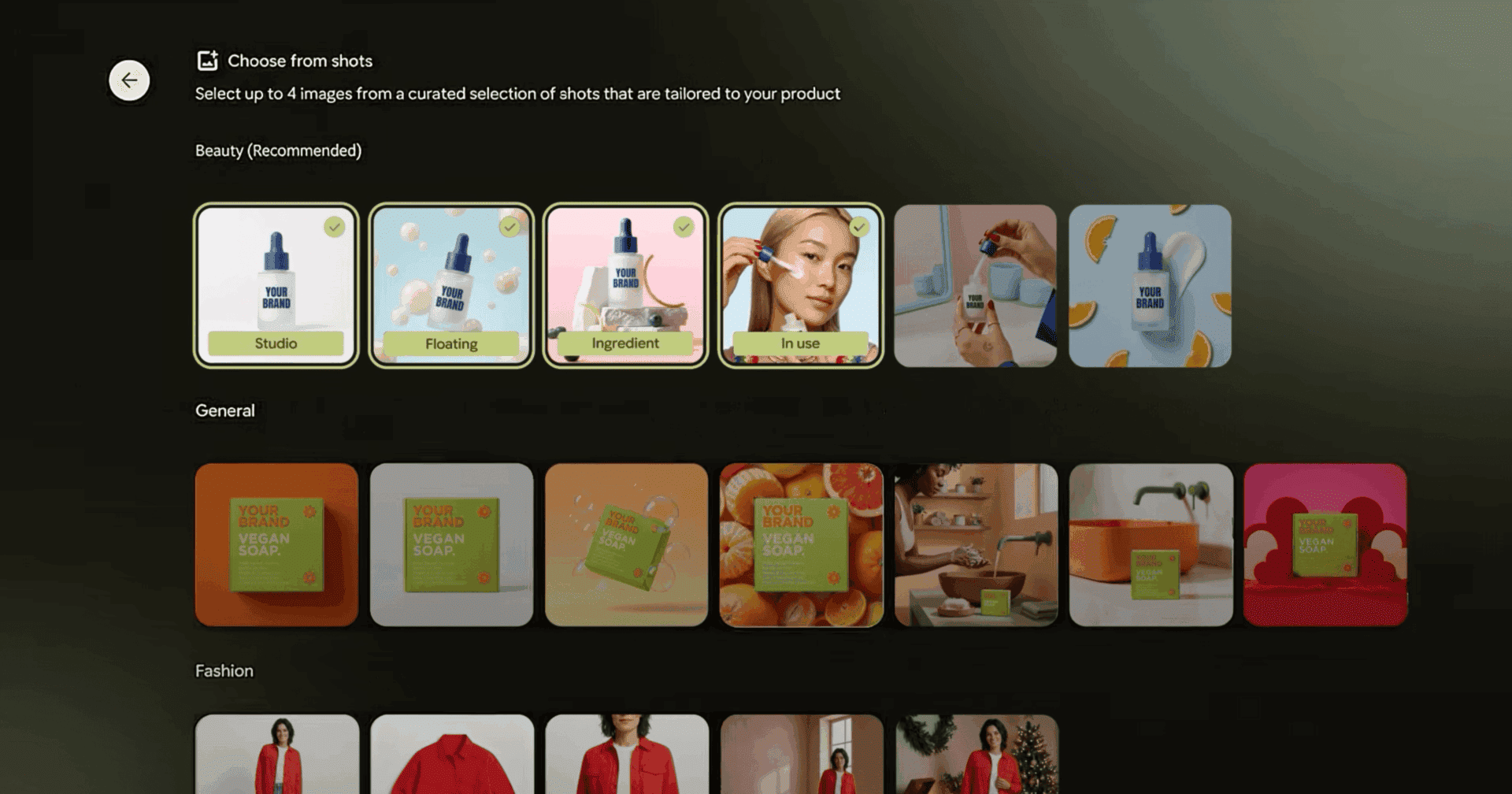
You pick up to 4 templates, and Pomelli generates the images in seconds. The results look like they came from a real photoshoot.
How to Use Pomelli — Step-by-Step Tutorial
Step 1: Open Pomelli Photoshoot
Go to labs.google/fx/tools/photoshoot. You need a Google account to sign in.
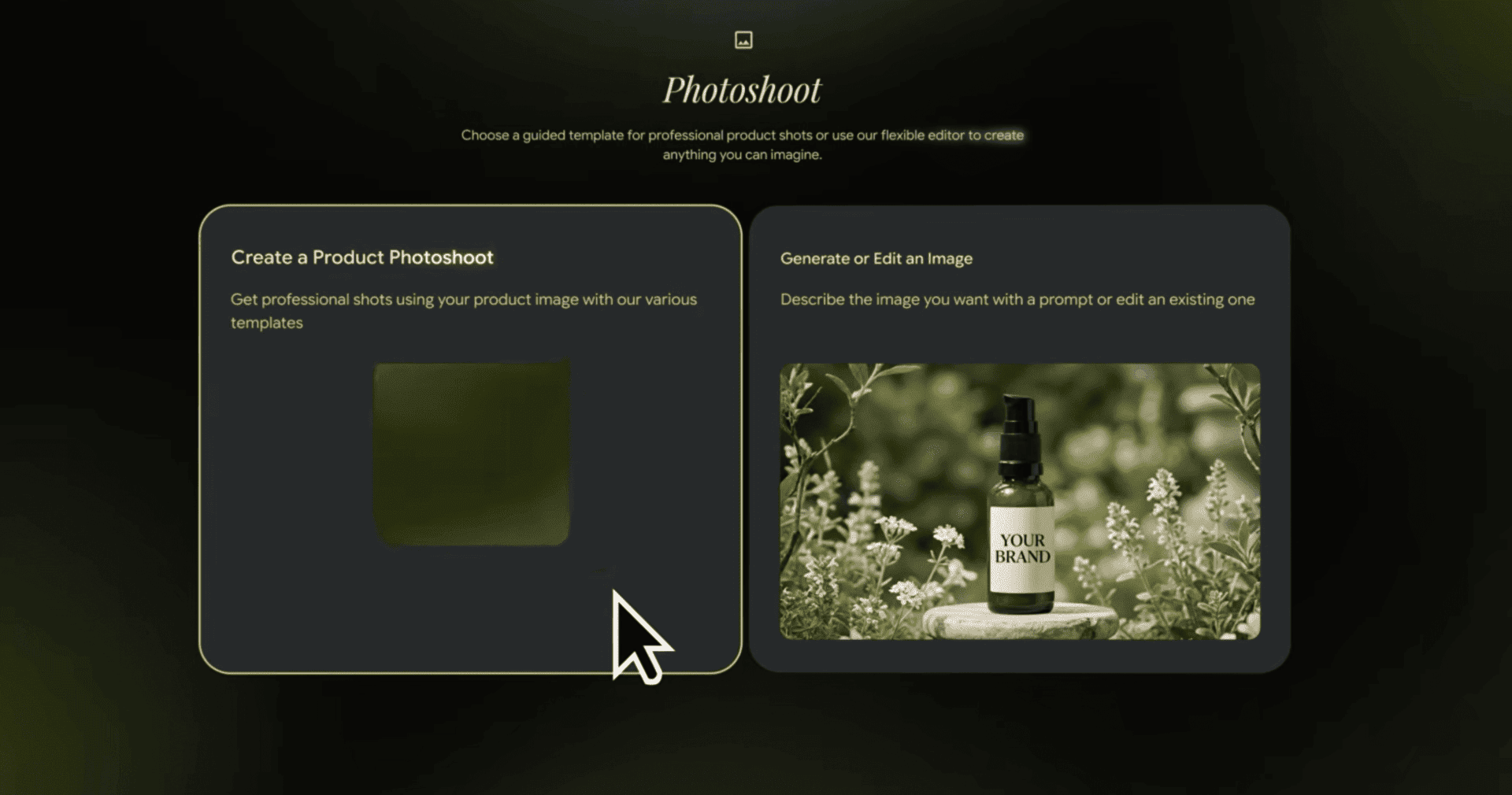
On the main screen you’ll see two options:
- Create a Product Photoshoot — use templates for quick results
- Generate or Edit an Image — describe what you want with a text prompt
Step 2: Upload Your Product Image
Click “Create a Product Photoshoot” and upload a photo of your product. Works best with:
- Clear, well-lit photo
- Product on a simple background
- No heavy cropping — show the whole product
Step 3: Choose Shot Templates
Browse available templates across categories: Beauty, General, Fashion, and more. Select up to 4 shots you want generated. Each template shows a preview so you know what to expect.
Step 4: Generate and Download
Hit generate. Pomelli creates your product shots in about 10–30 seconds. Download the ones you like — they’re ready to use on your website, marketplace listing, or social media.
Why Do People Search “Pomelli Photoshop”?
The confusion makes sense. Both tools deal with images:
| Pomelli Photoshoot | Adobe Photoshop | |
|---|---|---|
| Purpose | AI product photography | Manual image editing |
| Skill needed | None — upload and click | Advanced — layers, masks, retouching |
| Price | Free (Google Labs) | $22.99/month |
| Speed | Seconds | Hours |
| Best for | Product shots at scale | Custom design work |
Pomelli doesn’t replace Photoshop — they solve different problems. If you need quick, professional product photos without design skills, Pomelli is the answer. If you need pixel-level control, you still need Photoshop.
Where Is Google Pomelli Available?
Pomelli Photoshoot is available through Google Labs at labs.google/fx/tools/photoshoot. As a Labs experiment, availability may vary by region.
Currently accessible in:
- United States
- Most European countries
- Selected countries in Asia and Latin America
If you can’t access it from your country, try using a VPN set to the US. Google gradually expands Labs availability.
There is no separate download — Pomelli runs entirely in your browser. No app to install, no software to download.
Is Pomelli Free?
Yes, Pomelli Photoshoot is completely free while it’s in Google Labs. You need a Google account, but there’s no subscription or payment required.
Google hasn’t announced pricing for when (or if) it leaves the experimental phase. For now — use it while it’s free.
Meet Pomelli — Google’s Bet on AI Product Photography
Pomelli is part of Google’s growing suite of AI creative tools inside Google Labs. The name “Pomelli” refers to the product photography feature specifically, sitting alongside other tools like ImageFX and MusicFX.
Google designed it for small businesses and individual sellers who can’t afford professional product photography. Upload a phone photo of your product, and Pomelli handles the rest — background, lighting, composition, and even lifestyle context.
FAQ
- Is Pomelli the same as Photoshop?
No. Pomelli Photoshoot is a Google AI tool for automatic product photography. Adobe Photoshop is manual image editing software. They serve completely different purposes.
- How do I access Pomelli?
Go to labs.google/fx/tools/photoshoot and sign in with your Google account. No download needed.
- Can I download Pomelli Photoshop?
There is no Pomelli Photoshop to download. Pomelli Photoshoot runs in your browser at Google Labs. No installation required.
- Is Pomelli really free?
Yes, it is free during the Google Labs experimental phase. No credit card or subscription needed.
- In which countries is Pomelli available?
Primarily in the US and Europe. Availability expands as Google rolls out Labs features to more regions. Use a US VPN if it is not available in your country.
- What kind of photos work best with Pomelli?
Clear, well-lit product photos on a simple background. Phone photos work fine.
- How many product shots can I generate?
You can select up to 4 shot templates per generation. There is no strict daily limit during the Labs phase, but Google may throttle heavy usage.